
Every buyer keeps the same link to their page. Fix a design with a stray edge, add the SVG you forgot or the bonus papers you promised, and people who already bought see the current set the next time they open their link.
How updates reach every buyerFor clip art, digital paper and SVG shops
A download page for your clip art and SVG bundles
Deliver the whole bundle, not what fits in five files. Buyers see every PNG, paper and cut file with its details, get them all in one tap, and find help with ZIP files and file formats on the page.
What gets hard on Etsy
Etsy delivers up to five files per digital listing, 20 MB each. A single design fits easily. A big bundle often doesn't.
Large PNG sets
Clip art and digital paper are usually high-resolution PNGs, often with transparent backgrounds. Fifty of them can add up to more than five 20 MB ZIPs can hold.
A ZIP doesn't make them smaller
PNG and JPG files are already compressed, so a ZIP barely shrinks them. Big bundles end up split into Part 1, Part 2 and Part 3, and buyers have to collect and open each one.
Formats buyers mix up
SVG, PNG and DXF each work in different software. On a phone, a ZIP is one more thing to work out before the buyer can start a project.
How a download page handles it
Upload the bundle once to Files storage. Your download page shows its files one by one, with Download all first.
All plans
Every file, with its details
Buyers see each file before they download, with its type and size, and short help tags for things like transparent backgrounds. Large bundles get search, so a buyer can find one design.
More about Download pagesAll plans
Start from the ZIP you already have
Upload it as it is. Buyers can see what is inside before they download, or you can unpack it so each design downloads on its own.
More about Files storageAll plans
Which file goes where
Start from the ready-made cut file guide: which format opens in Cricut or Silhouette, and how to unzip on a phone. Buyers get going without writing to you.
More about Product guidesGrowth +
Their next bundle
Show buyers the collections that go with the one they bought, each opening its Etsy listing.
More about Product recommendations
Templates to start from
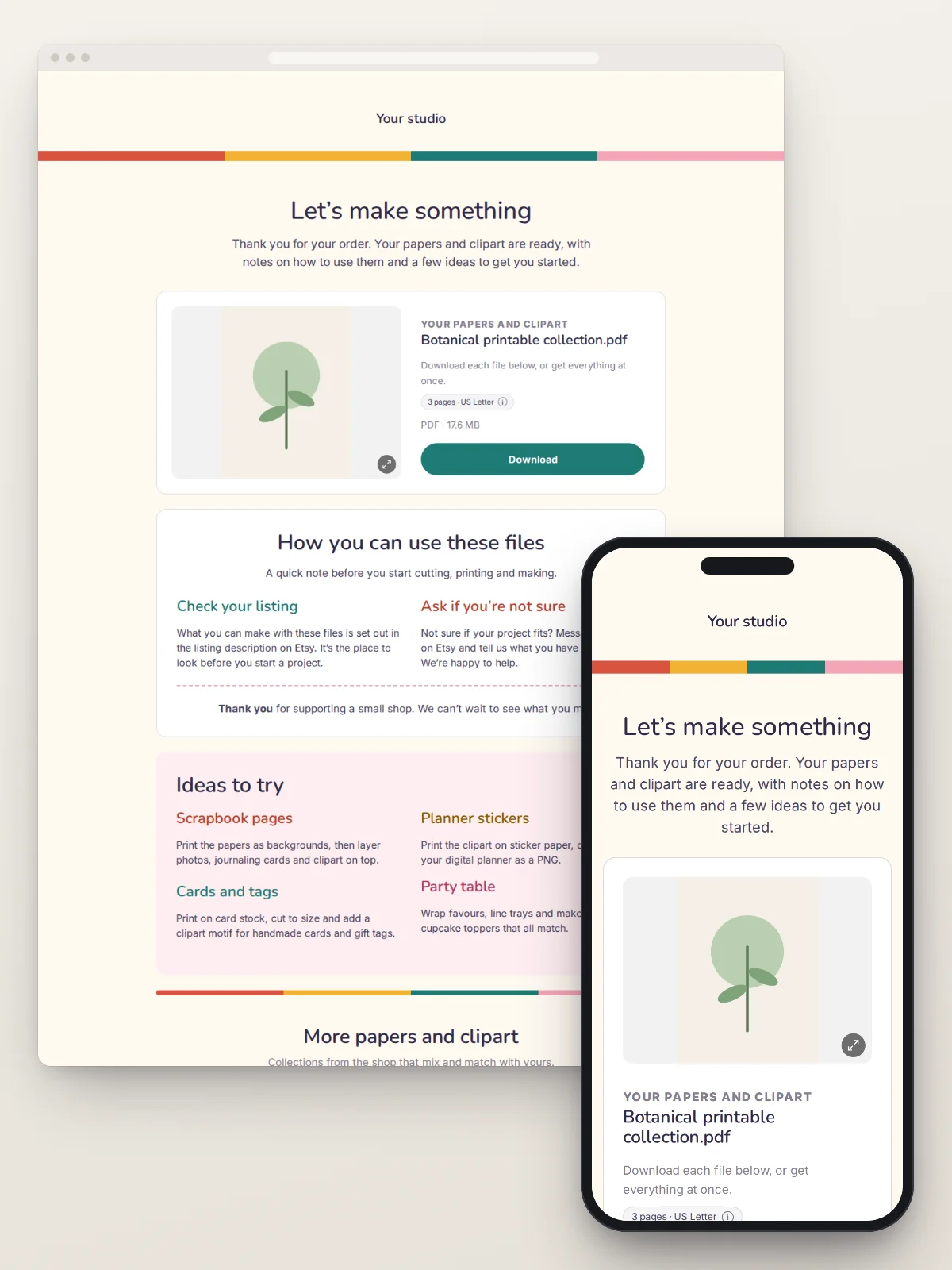
Start from a ready-made design, then make it yours with your Brand Kit, your guide and your own words.
Premium template
Paper & Pattern
A playful, colourful page for digital paper and clipart: the buyer’s files, a pointer to the usage terms in your listing, project ideas, more collections and an email signup. Sections that need a higher plan or app setup stay hidden until they’re available.
See Paper & Pattern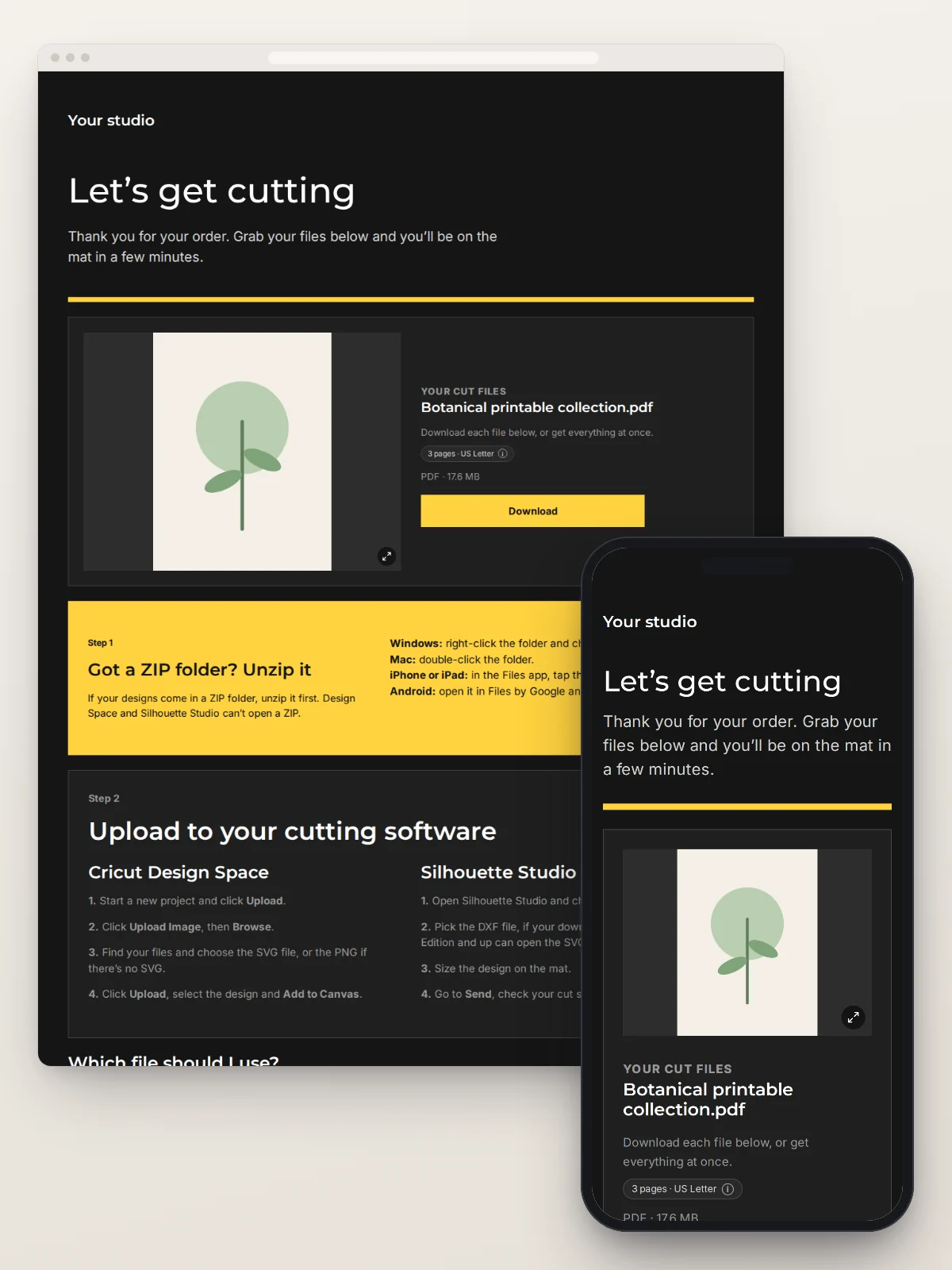
Premium template
Craft Cut
A bold, high contrast page for SVG and cut files: the buyer’s files, help with ZIP folders, upload steps for Cricut Design Space and Silhouette Studio, a file formats guide and more cut files from your shop. Sections that need a higher plan stay hidden until they’re available.
See Craft Cut
Updates for past buyers
Questions sellers ask
Do I still need to split my bundle into ZIPs?
No. Upload the files, or the ZIP you already have. Buyers see every file on the page and can download them all with one tap, or pick the ones they want.
Can buyers see what's inside a ZIP?
Yes. Buyers can look inside a ZIP before they download it. If you'd rather deliver the files separately, unpack it with one click.
Which files get a preview?
Images and PDFs get previews, so PNG clip art and digital paper show buyers what they are getting before they download. Buyers can open any preview full screen.
How much storage do I get?
Free includes 2 GB of Files storage, and each paid plan includes more. The pricing page lists the amount on each plan.
Can I show my commercial use terms?
Yes. Add a short summary to the page and point buyers to the full terms in your Etsy listing.
Deliver the whole bundle on one page
Start free with up to 10 connected listings. Your files, your page and your Brand Kit, ready before your next sale.