Files, folders or large uploads
Upload however your work is organised. Big files resume if your connection drops.
Security
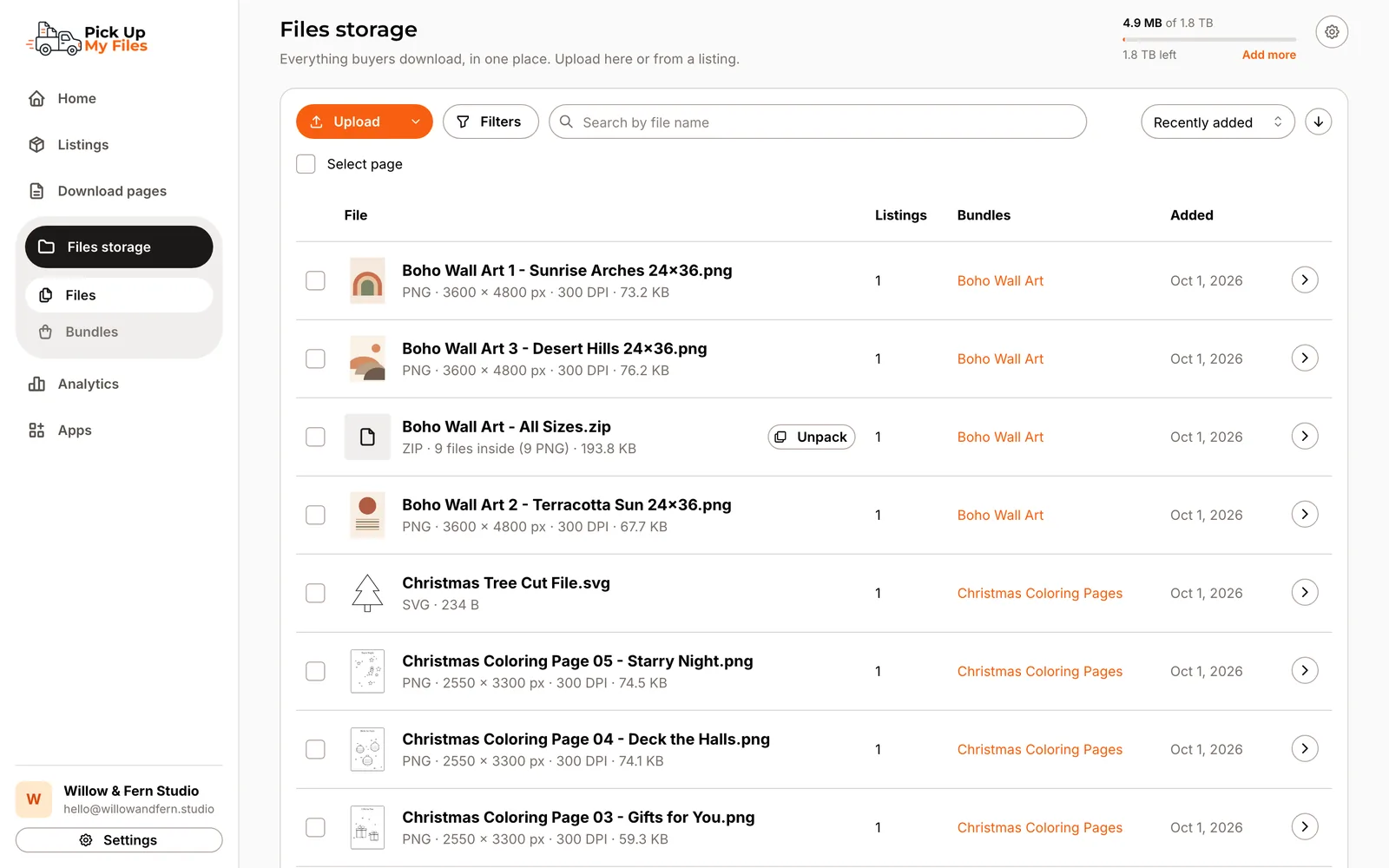
Files storage keeps every file your buyers receive in one private library. Upload once, group files into Bundles, and connect them to any Etsy listing. No shared folders, no public links.
Delivering through a cloud drive has a hidden cost. To share the files, you set a folder to anyone with the link, and from then on anyone who finds that link can open your work.
Files storage takes that step away. Your files live in a private library inside Pick Up My Files, and the only way to reach them is through your download page.
Drop in single files, several at once, or a whole folder. Large uploads go up in parts and carry on if your connection drops. If you upload a file you already have, we spot it and keep one copy, so it does not use your storage twice.
A ZIP stays one file, the way you made it. Buyers can look inside it before they download. If you would rather deliver the pieces separately, unpack it with one click.
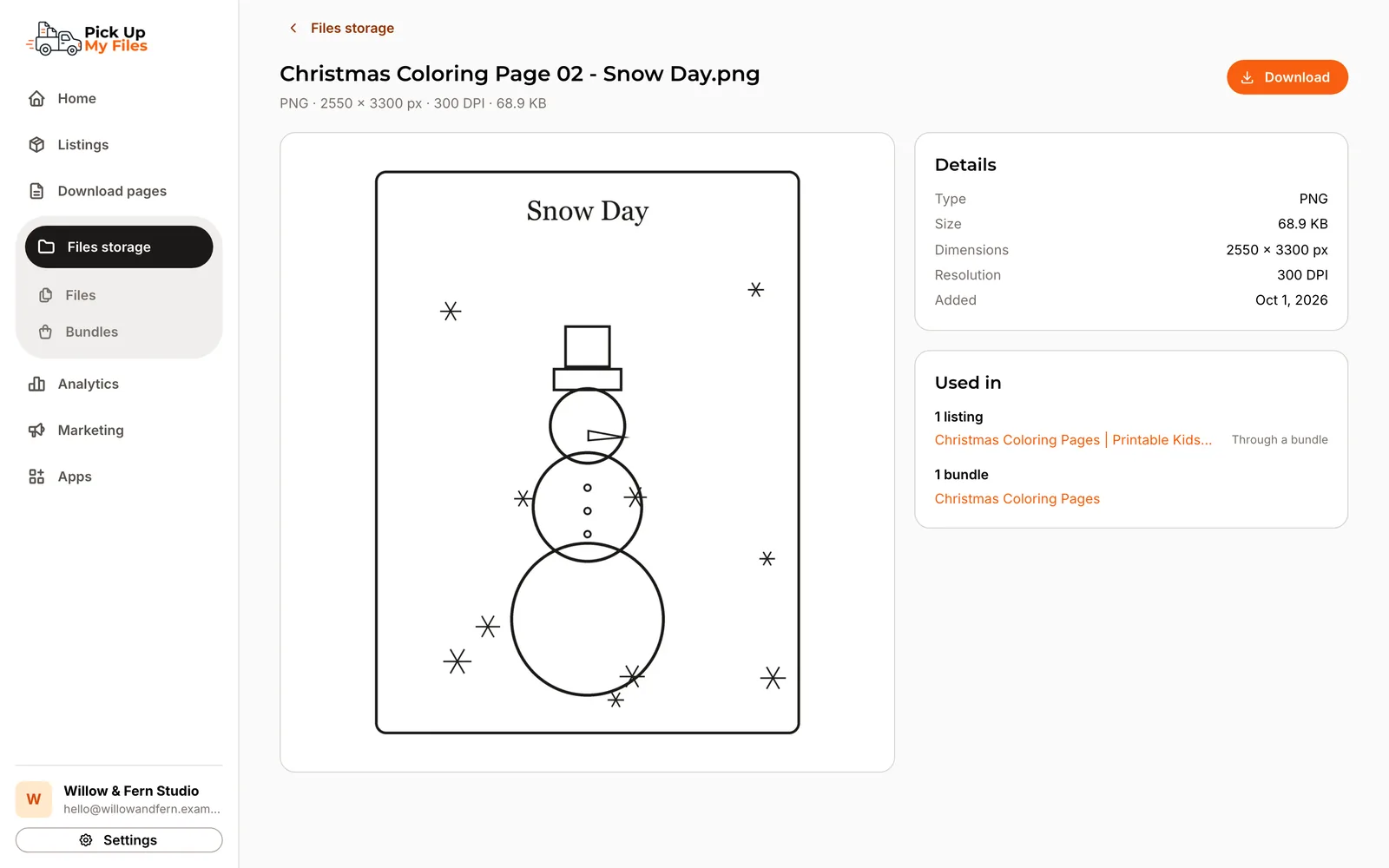
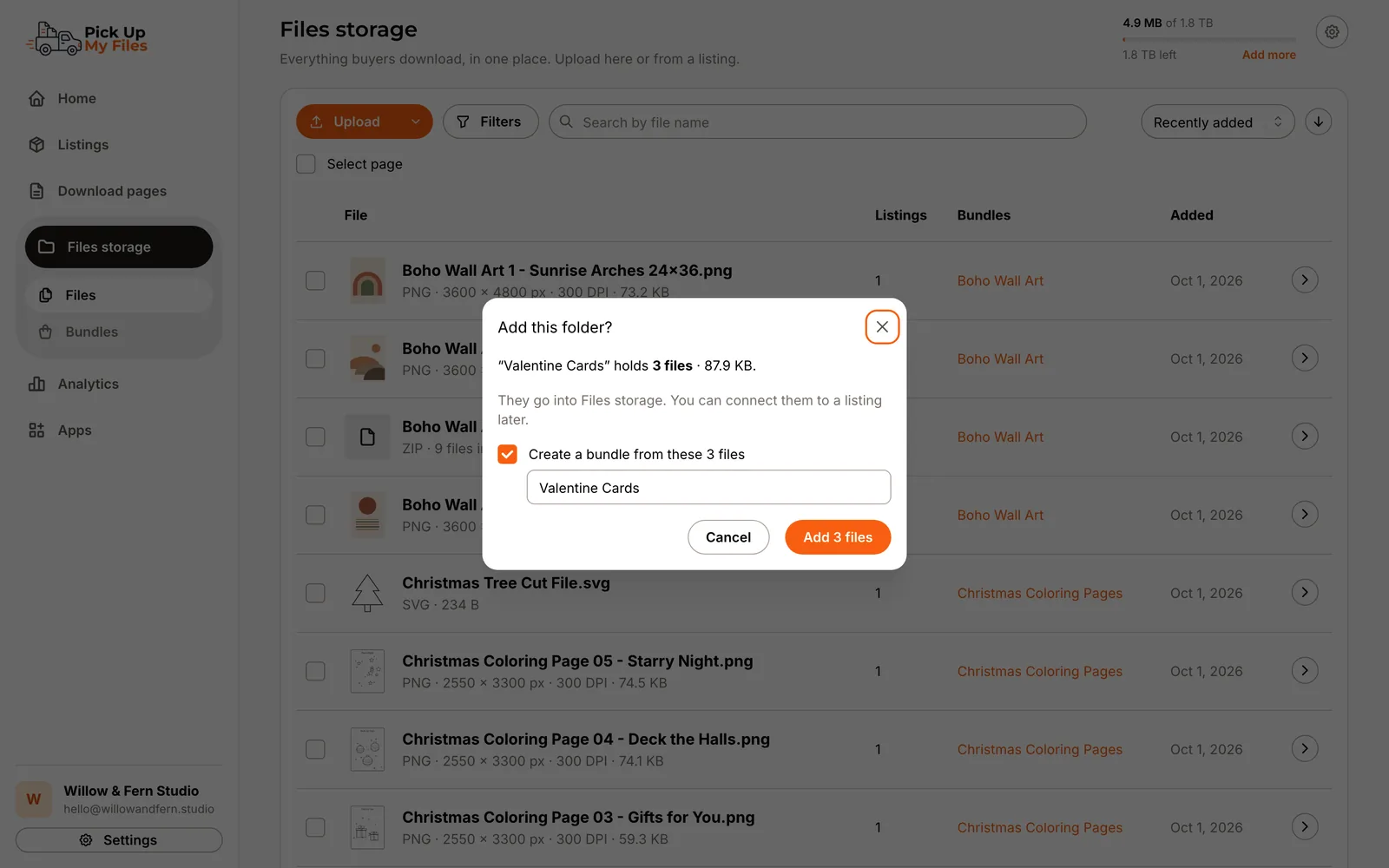
A Bundle is a set of files with a name, like a tag. Add a second file to a listing and it becomes a Bundle automatically. Upload a folder and we offer to turn it into one. The same file can sit in as many Bundles as you like. Open any file to see a large preview, its details and every listing and Bundle that uses it.
Connect a listing to one file or one Bundle. Change a Bundle anywhere and it changes everywhere, and before you save we tell you which listings deliver it and what their buyers will see.
Every file is scanned for viruses before it can be delivered, and program files are refused outright. While a file is checked you see its status, and once it is ready we make previews so buyers can see what they are getting.
Delete something by mistake and you can get it back: deleted files stay recoverable for 30 days. As your storage fills up, we tell you in the app and by email, before new uploads pause. Need more room? Upgrade your plan or add a one-time storage pack.
How it works
Drop in files, a folder or the ZIP you already send.
Each file is scanned for viruses, stored privately and given a preview.
Link a listing to a file or a Bundle. Buyers get it from your download page.
Capabilities
Upload however your work is organised. Big files resume if your connection drops.
Group files under one name and connect the Bundle to as many listings as you need.
Before you edit a Bundle, see which listings deliver it and what buyers will notice.
Every file is scanned before delivery. Program files are refused.
Images and PDFs get previews, and buyers can look inside a ZIP before downloading.
Each file shows the listings and Bundles that deliver it.
Upload a file you already have and it is stored once, not twice.
A deleted file can be restored for a while before it is gone for good.
Every plan includes Files storage, we warn you as it fills up, and you can add more with a storage pack.
Screenshots
Stop replacing outdated download PDFs. Deliver a modern download experience that grows with your shop.