Why Buyers Can't Download Digital Files on the Etsy App

Buyers can’t download digital files on the Etsy app. Etsy’s Help Center says it plainly: “You can’t download a digital purchase through the Etsy app at this time.”[1] To get the files, the buyer signs in to Etsy in a mobile browser such as Safari or Chrome, or on a computer, opens Purchases and chooses Download Files. With Pick Up My Files, the next step is just as simple: the thank-you PDF we attach to each listing you connect opens a download page made for phones, with Download all, previews and help built in, so a buyer who finds the browser step has their files a tap later.
Nothing is wrong with the order or the files, and there’s no setting a seller can change in the app. What you can change is what the buyer reads before they get stuck, and what they find once they’re through.
What Etsy says
Etsy’s article on downloading digital items says buyers can’t download in the app at this time, and “To download a digital file, please sign in to Etsy on your mobile browser or computer.”[1] The same article covers the rest of the path:[1]
- Files are under Purchases, with a Download Files button next to the order.
- Instant downloads are ready once payment is confirmed. While payment is still processing, the button is gray.
- Guest buyers find the download link in their receipt email.
- There are generally no limits on when or how often a buyer downloads, unless the order is canceled.
The question comes up often because so much Etsy shopping happens in the app. Etsy reported that about 46% of its marketplace sales in the fourth quarter of 2025 were made through the app.[2] Many of those buyers expect a digital purchase to open where they bought it, and a buyer who never works out the browser step can’t get as far as using, or reviewing, what they bought. Etsy lets a buyer review a digital item only after they download it.[1]
Steps for iPhone or iPad
- Close the Etsy app. Open Safari (or Chrome, if you use it).
- Go to etsy.com and sign in with the account you bought with. If an Etsy link keeps opening the app, type the address into the browser yourself.
- Open Your account, then Purchases.
- Find the order and tap Download Files.
- On the Downloads page, tap each file to download it.
- Open the Files app and go to Downloads. Apple’s guide says to tap Browse, then the Downloads folder.[3] Safari’s download button also lists recent downloads.
Steps for Android
- Open Chrome or another browser, not the Etsy app.
- Go to etsy.com and sign in with the account you bought with.
- Open your account menu, then Purchases.
- Find the order and tap Download Files, then tap each file.
- Find the files in the Files app, under Downloads. Google also lists them in Chrome’s menu, under Downloads.[4]
Steps for a computer
- Open any browser and sign in at etsy.com.
- Go to Purchases, find the order and click Download Files.
- Click each file to save it to your Downloads folder.
A computer is often easier for large sets, cut files such as SVG and DXF, and fonts.
If the buyer checked out as a guest, there’s no Purchases page. Etsy puts the download link in the receipt email instead.[1] Ask them to search their inbox, spam and promotions folders for the Etsy receipt and open the link in a browser. If they no longer have that email account, Etsy’s advice is to contact the seller.[1]
How Pick Up My Files helps after the browser step
The browser step is Etsy’s. Everything after it can be yours. With Pick Up My Files, the buyer downloads one thank-you PDF, taps its button, and lands on a page built for the moment they download, on the same phone they bought on.
1. Connect your shop and build one page
Connect your Etsy shop to import your digital listings, upload the files buyers receive and design one branded download page for your catalog. The page reads the listing each buyer arrived from and shows that product’s files, previews and guide.
2. Connect your listings
Choose the listings that use the page. We attach the thank-you PDF to each one on Etsy, so every buyer’s Downloads page shows the same thing: one PDF with one button.
3. Write the how-to steps once
Under Listings, write a guide for each kind of product, from scratch or from a ready-made one for things like printable art, digital planners, SVG cut files or fonts. A guide holds a one-line summary, what the buyer will need, numbered steps with an optional image, and short tips. Attach it to every listing it fits, then add the Guide block to your page. Each buyer sees the guide for the listing they bought, with the steps shown or collapsed under the summary.
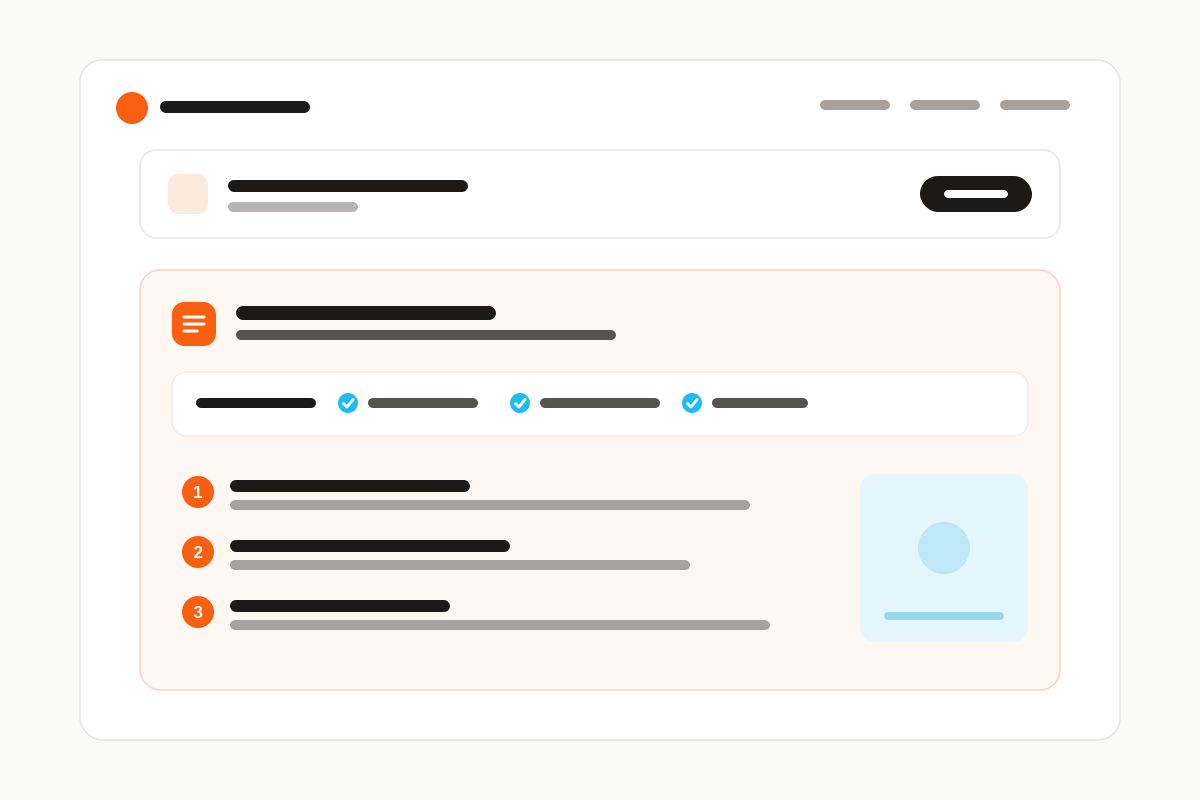
On Starter, Growth and Pro, a guide can also open on its own guide page, with steps buyers can tick off and a branded PDF they can save beside their files.
What the buyer sees on their phone
The page opens in the browser, with no sign-in. Download all comes first, with the file count and total size, so one tap gets everything. Each file says what it is and how big it is, with short help tags for things like ZIP files or transparent backgrounds. Buyers can open any preview full screen, flip through a PDF’s first pages or look inside a ZIP before downloading.
The layout adapts to the number of files, from one big card to searchable shelves for a large bundle, and it works on a phone as well as a computer. Help with the download itself is built in: small info buttons explain things like Download all, and every page links to a help page that follows your page’s own layout. Your guide never has to explain downloading or ZIP folders, and buyers can sort those out without messaging you.
When you fix a file or improve a guide, buyers see it through the same link in the PDF they already have.
Words to add before buyers get stuck
Say the browser step in a few places, in plain words. Each reaches the buyer at a different moment.
In the listing description, near the top, where mobile shoppers see it before they buy:
This is a digital download. After you pay, download your files from Etsy.com in a web browser (Safari or Chrome on your phone, or a computer). The Etsy app can’t download digital files.
In the standard Message to Buyers, which shows on the receipt page and in the order confirmation email:[5]
Your files are ready under Purchases on Etsy.com. Please download them in a web browser, because the Etsy app can’t download digital files.
In your Message to Buyers for Digital Items, which appears on the buyer’s Downloads page and covers every digital listing in your shop:[5]
Thank you for your order! Please download the PDF below in a web browser, not the Etsy app. Open it and tap the button to reach your download page, where Download all gets every file. Questions? Message me here on Etsy.
Our Message to Buyers for Digital Items examples have more versions.
In a saved reply, for buyers who message you anyway:
Thanks for your order, and sorry for the trouble! The Etsy app can’t download digital files, so please open etsy.com in Safari or Chrome, sign in, go to Purchases and tap Download Files. Open the PDF and tap the button inside to reach your files. If you checked out as a guest, the download link is in your Etsy receipt email.
If you’re not using it yet
Most shops today attach a thank-you PDF they built by hand, with a link to a shared cloud folder. For the buyer on a phone, that adds steps after the browser one: find the PDF in the Files app, tap a link that may not respond, then work through a folder that may ask them to request access. The folder has no steps, no help and nothing from your shop, and when its link breaks, our guide to fixing an Etsy digital download link that isn’t working is where most sellers end up. A download page replaces that last stretch with one page that looks like your shop.
Frequently asked questions
Will Etsy add digital downloads to the app?
Etsy hasn’t said. Its help article says buyers can’t download in the app “at this time”.[1] Check the article for changes rather than relying on old forum posts.
Can a buyer download on a phone at all?
Yes, in a mobile browser instead of the app. Safari on iPhone and Chrome on Android both work, and the files land in the Files app, under Downloads.
Can I send the files in Etsy Messages instead?
For small files, yes. Etsy Messages takes up to three files, as JPG, GIF, PDF or PNG.[6] ZIP files can’t be sent that way, so guiding the buyer to the browser is quicker for most products.
Try it on your own listings
You can start with Pick Up My Files for free, with a thank-you PDF attached to each and a page that works on the buyer’s phone. See how it works.
Sources
Etsy details checked on November 18, 2026.
[1] Etsy Help: How to Download a Digital Item
[2] Etsy, Inc. Reports Fourth Quarter and Full Year 2025 Results (February 19, 2026; the app figure, a share of marketplace gross merchandise sales, was read from a syndicated copy of the release)
[3] Apple Support: Find your downloaded files on iPhone
[4] Google Chrome Help: Download a file (Android)
[5] Etsy Help: How to Add or Edit Your Post-Purchase Message to Buyers