
Files like tags
One file can sit in any number of Bundles without being copied.
Grow
A Bundle is a set of files with a name. Connect it to any Etsy listing that should deliver those files, reuse it across listings, and update every one of them in a single edit.
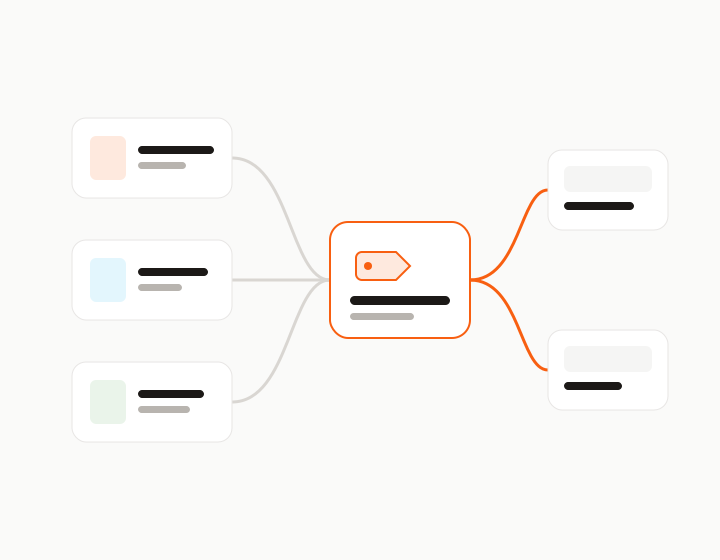
Most digital shops sell the same files more than once: a single design, a themed set, a seasonal pack and a mega bundle that holds them all. With a cloud drive that means copies of copies, and every fix has to be made in several folders.
Bundles in Pick Up My Files work like tags instead of folders. A file lives once in your Files storage and can belong to as many Bundles as you need, so a mega bundle and a small set can share the same files without duplicates.
Add a second file to a listing and it becomes a Bundle automatically, named after the listing. Upload a folder and we offer to turn it into a Bundle. You can also pick files in Files storage and choose Create bundle, or start an empty Bundle and fill it later.
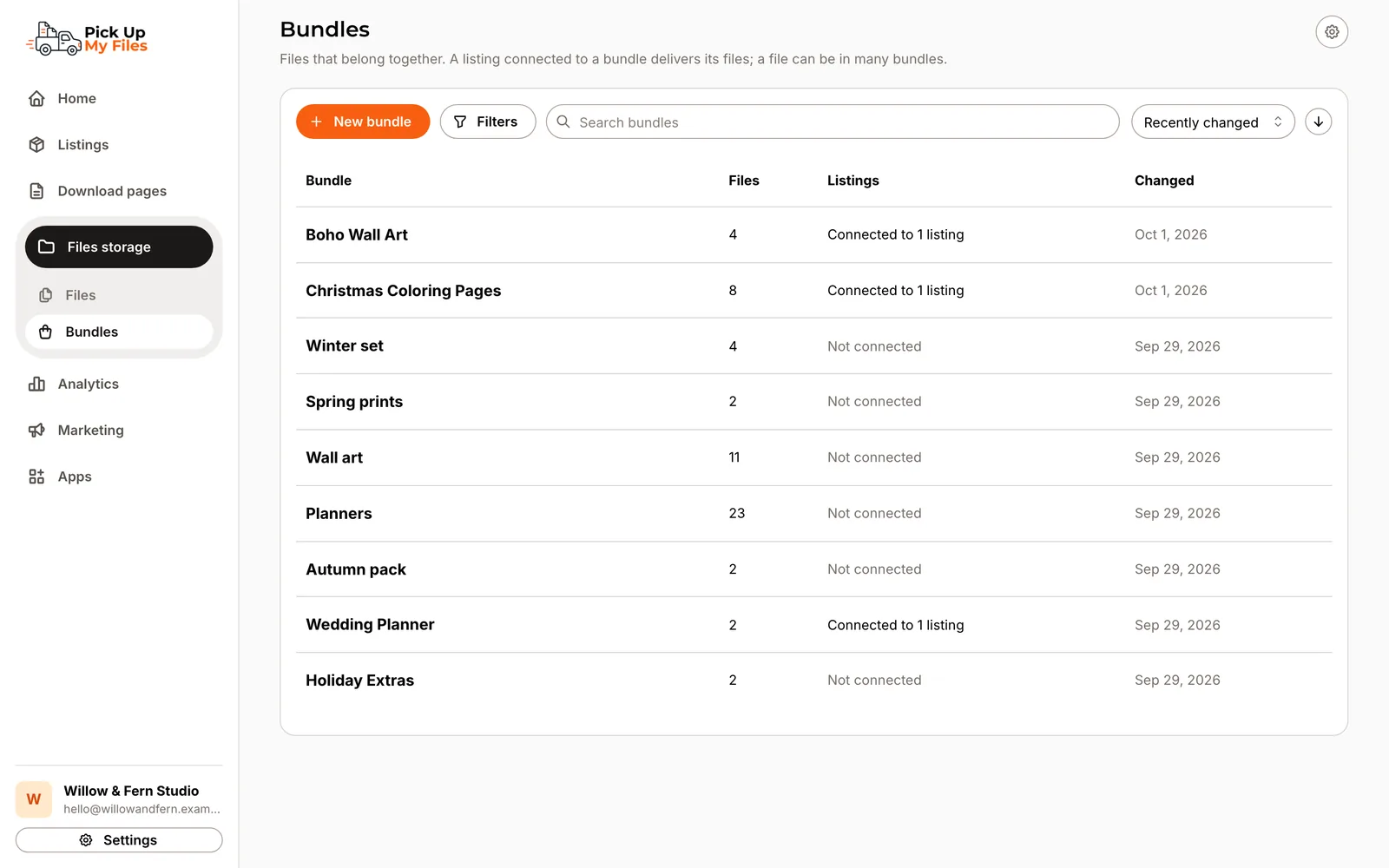
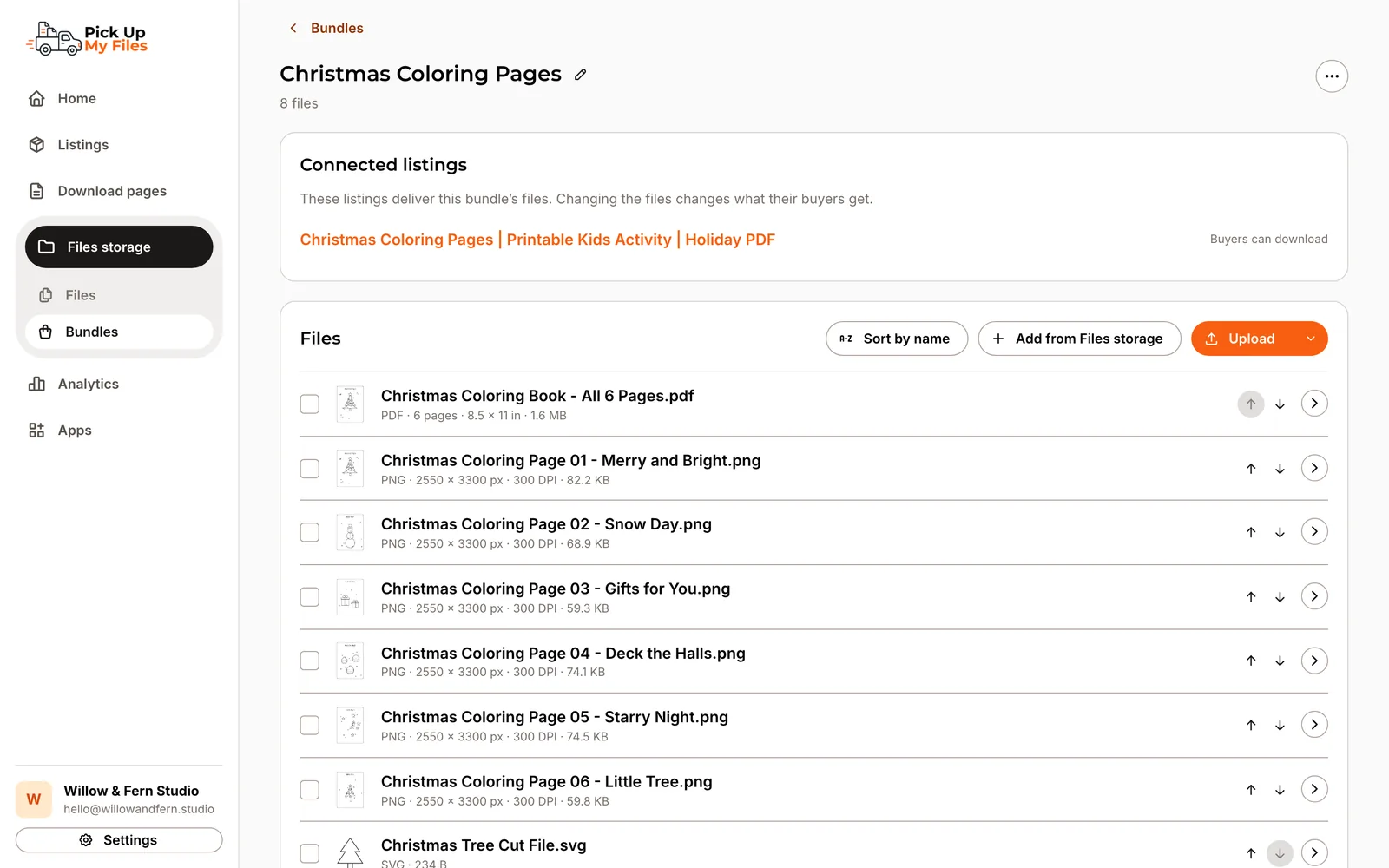
Connect a Bundle to every listing that should deliver it. Each Bundle shows how many listings it is connected to, and each file shows the Bundles and listings it is part of.
When a Bundle is shared and you add files from one listing, you choose: change it for every listing, or only for this one, which makes a separate copy for that listing.
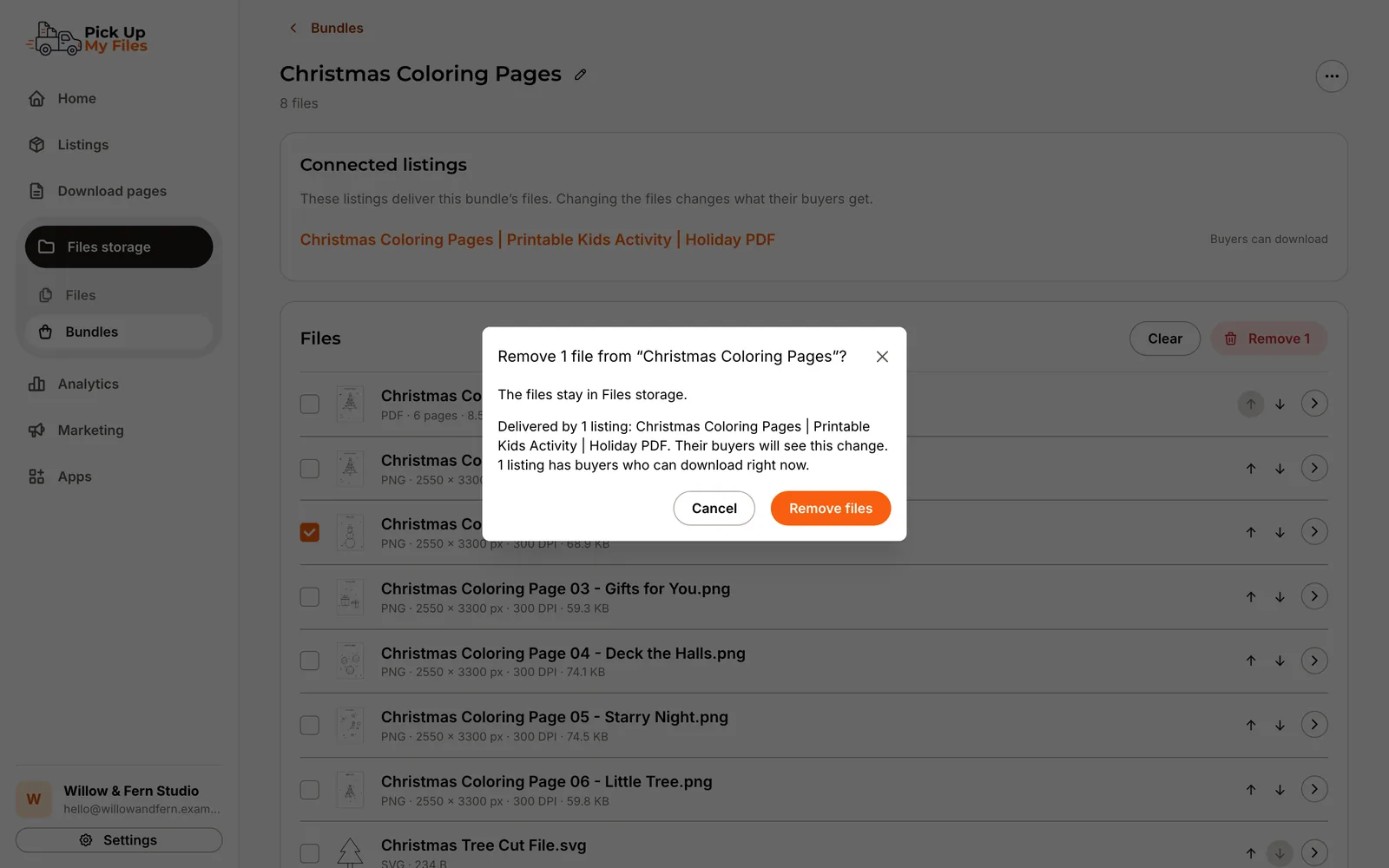
Before you add, remove or delete files, we tell you which listings deliver that Bundle and that their buyers will see the change. If a file is already in another Bundle, we ask before adding it again. We only block a change that would leave a listing with nothing to deliver.
Buyers never have to unpack anything. The download page shows a Bundle's files one by one, in the order you set, with Download all first. In Delivery analytics you can filter by Bundle and see which Bundles buyers download most.
How it works
Add files to a listing, upload a folder or select files and choose Create bundle.
Pick the Bundle on each listing that should deliver it.
Change the Bundle anywhere. Every connected listing delivers the new set.
Capabilities
One file can sit in any number of Bundles without being copied.
A listing with more than one file gets its own Bundle automatically.
Upload a folder or unpack a ZIP and keep its files together as a Bundle.
Connect one Bundle to a single design, a set and a mega bundle.
See which listings and buyers a change affects before you save it.
Arrange files by hand or sort them by name.
Filter delivery analytics by Bundle and see your top Bundles.
Screenshots
Stop replacing outdated download PDFs. Deliver a modern download experience that grows with your shop.