
Buyer-entered address
The buyer supplies the address directly on your page.
Marketing
Add a consent-based email signup to your download page, keep every subscriber in one tidy list with groups, and export them to the email tool you already use.
The download page is where a buyer has just received your work, which makes it a natural place to invite them to hear from you again.
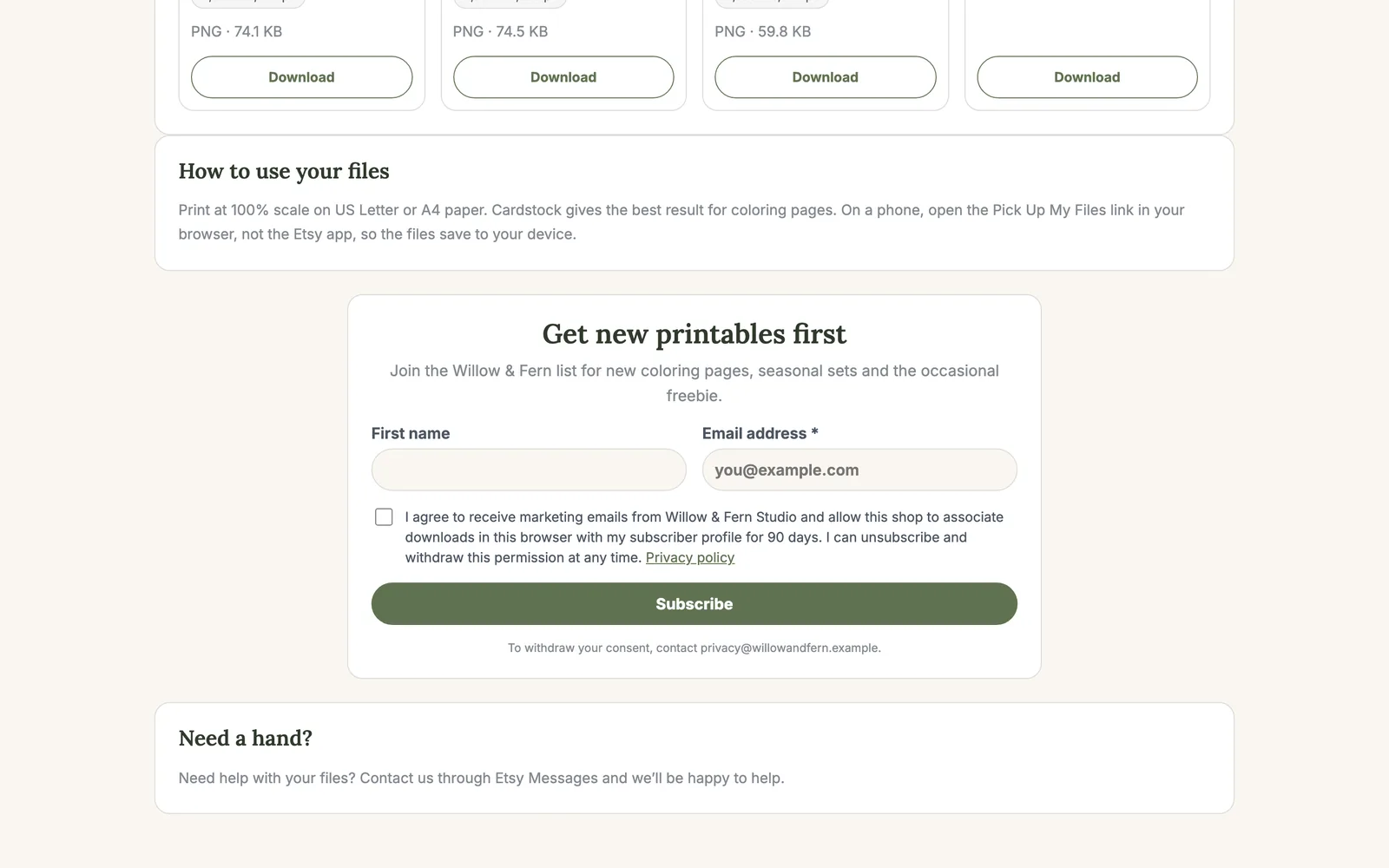
Email capture is optional and separate from Etsy account data. Pick Up My Files does not request Etsy buyer email access: the buyer enters an address directly on your download page and chooses whether to consent.
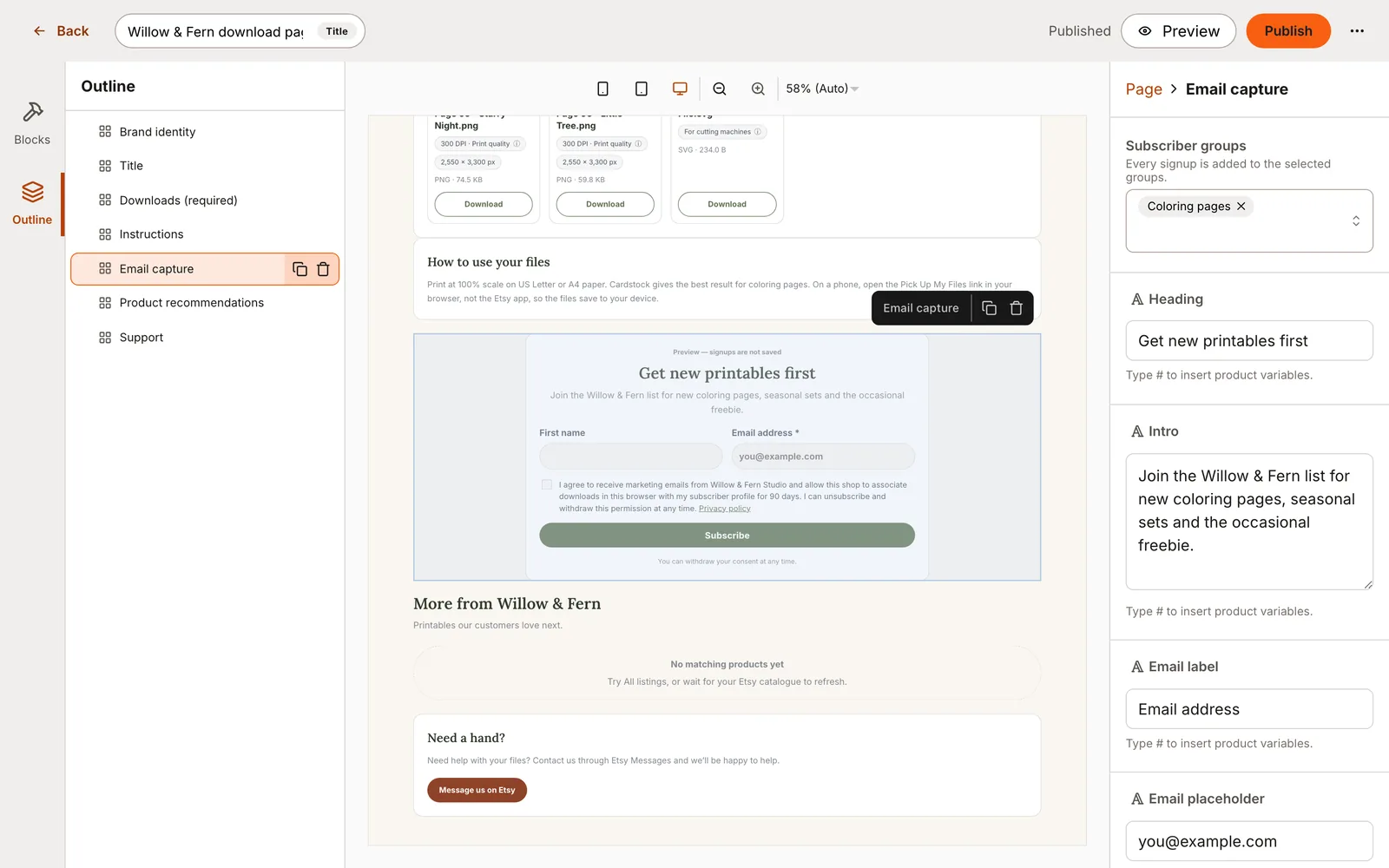
The Email capture block shows the signup fields, your consent wording and a link to your privacy notice. A signup is accepted only when the buyer gives the required consent, and their files never depend on it.
Ask for an email address alone, or add first name, last name or birthday when it is useful. Choose the heading, button text, success message and layout so the form fits your page.
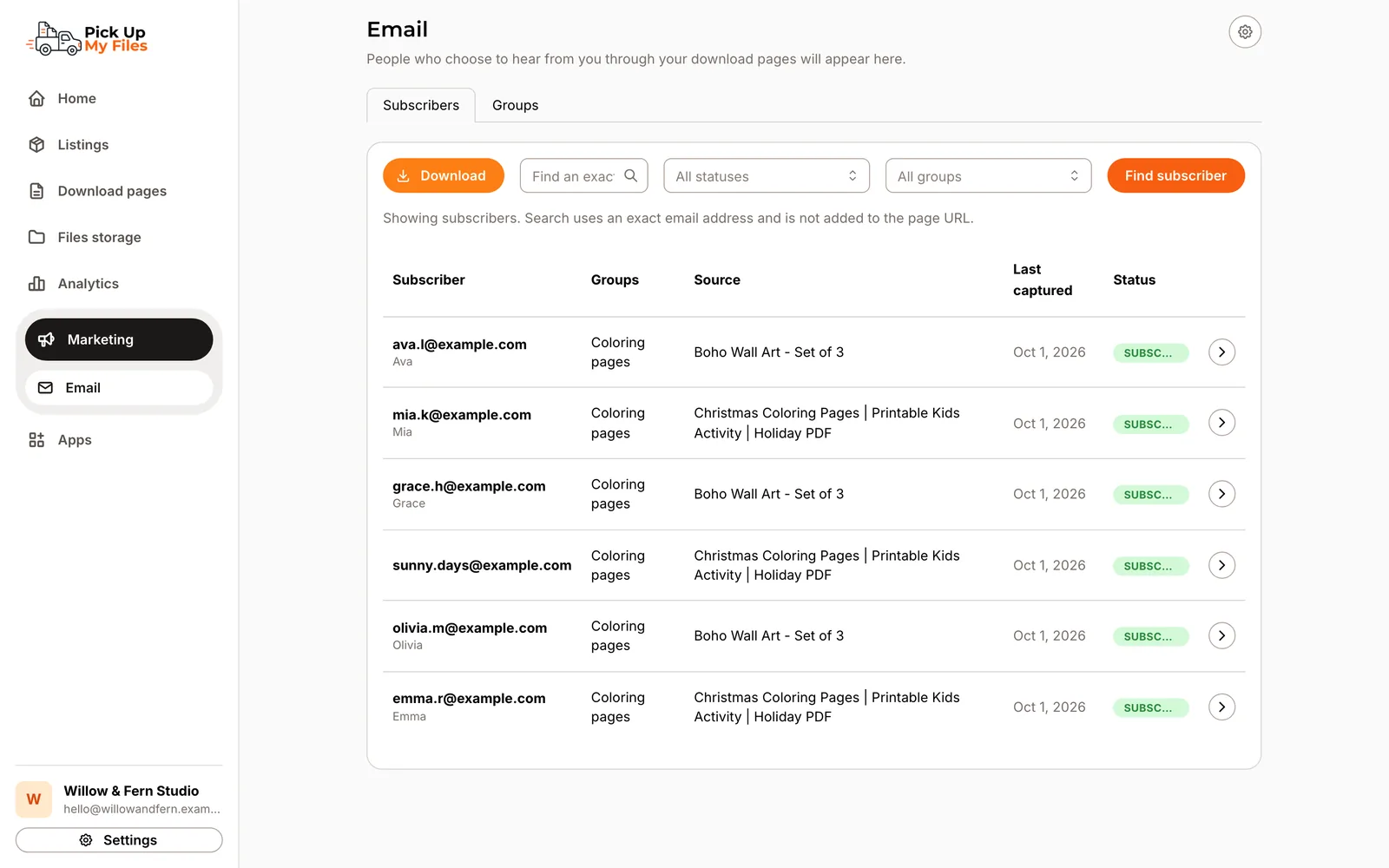
Each email address is one subscriber in your shop. If the same buyer signs up on another page, we add the new signup to their record instead of creating a duplicate. Their record keeps when and where they signed up and their consent history. If the buyer agrees, the files they download from your pages afterwards appear on their record too.
Groups help you organize the list. Choose which groups a block adds people to, for example one per product line, and filter or export by group later.
Add your shop name and a privacy contact email once, and Pick Up My Files hosts a privacy notice for your signup form. You can look up a subscriber by email and delete them if they ask to be removed.
Download your subscribers as a CSV or Excel file, all of them or one group, and import them into the email tool you already use. Links in later messages can point buyers back to your Etsy shop.
Email capture is part of the Marketing app, included on the Growth and Pro plans.
How it works
Add your shop name and privacy contact, and create your first group.
Place a signup form on your download page and choose its groups.
Review subscribers and their consent, then download a CSV or Excel file.
Capabilities
The buyer supplies the address directly on your page.
The signup includes disclosure and a required consent choice.
Subscribing is never required to receive purchased files.
Ask for first name, last name, or birthday only when useful.
Organize subscribers by product, page or purpose.
One record per email address, with every signup and consent kept.
A privacy notice for your form built from your shop details.
Download all subscribers or one group whenever you need them.
Screenshots
Stop replacing outdated download PDFs. Deliver a modern download experience that grows with your shop.